QR menu & order at table for Vesopa EPOS

The menu your tables scan. Orders straight to the kitchen.

One QR code on every table. Customers browse the menu on their own phone, order and pay from their seat, and the ticket lands on the till and the kitchen screen — live from the same catalogue your till already runs.

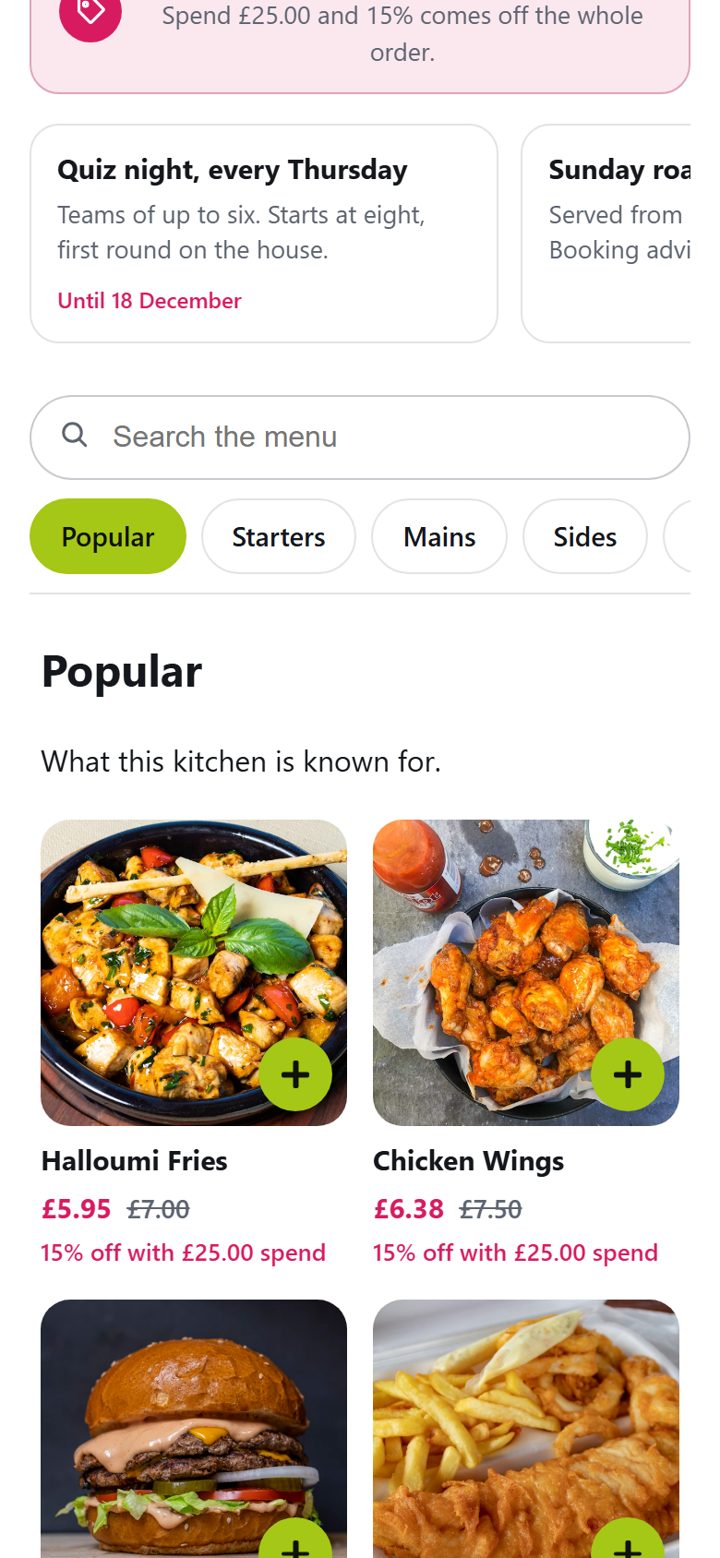
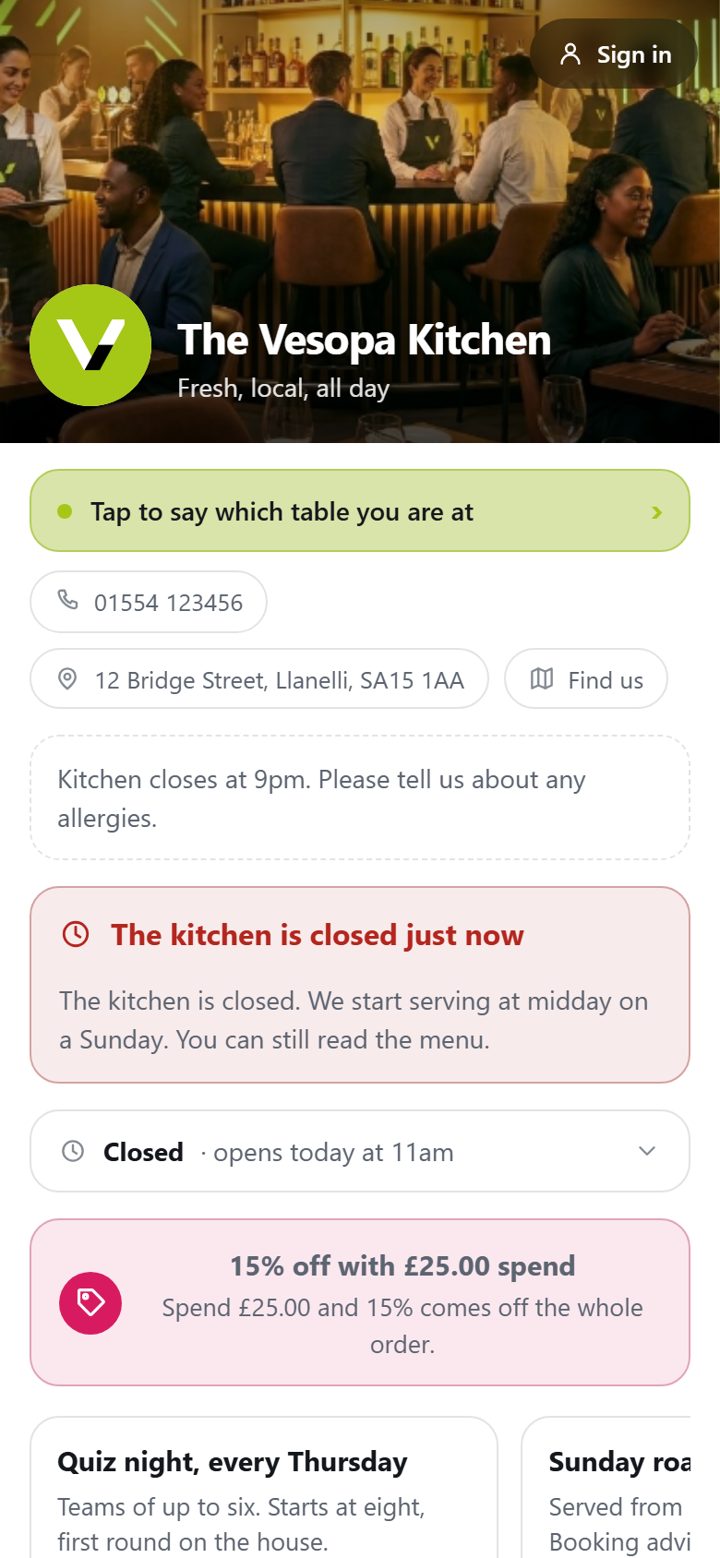
The Vesopa Kitchen demo menu on a phone

Scan The Vesopa Kitchen’s menu

Our demonstration venue. It is exactly what your customers would see, with your dishes, prices and photos instead of ours.

Demo · sample data

The Vesopa Kitchen

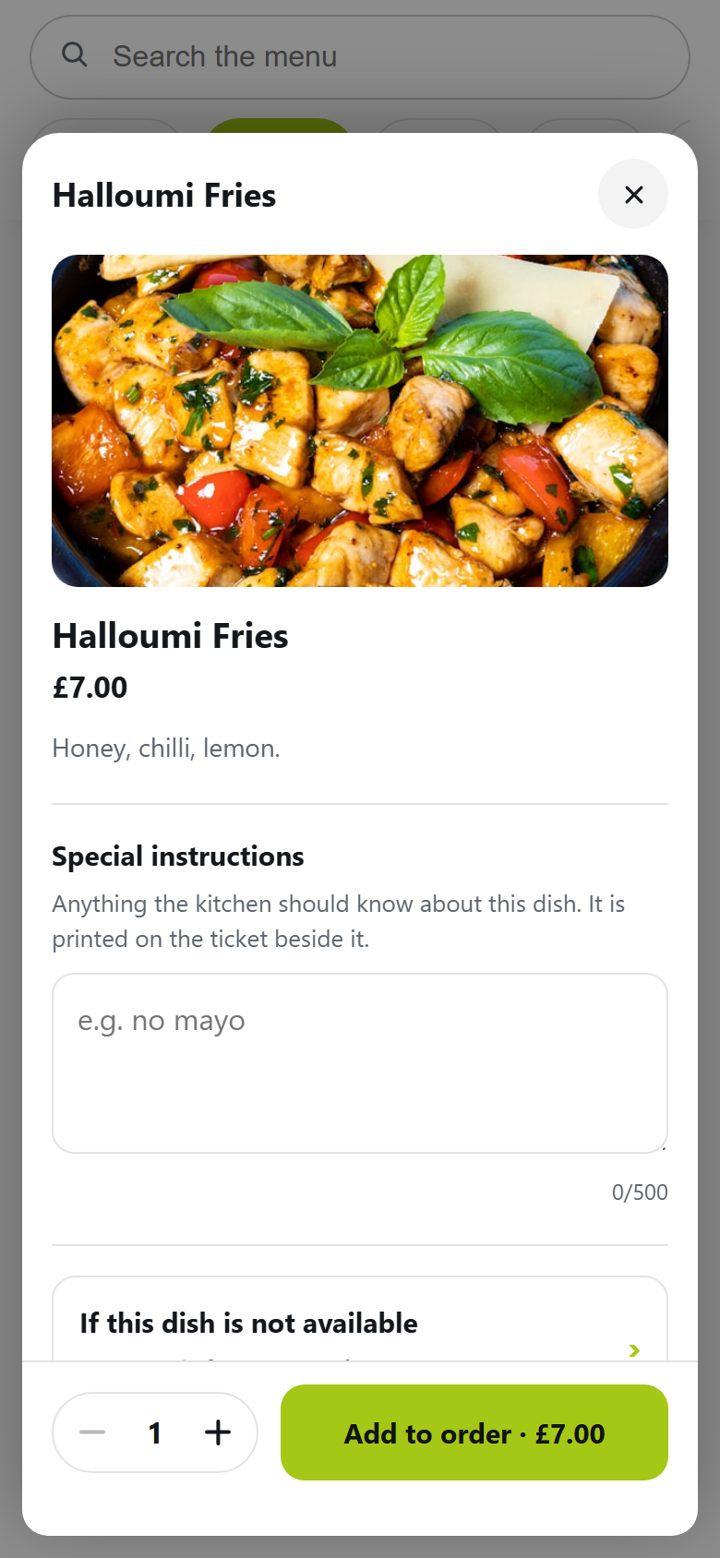
Open the menu as a customer would. Add a dish, choose a size, write a note for the kitchen — nothing is cooked, and nothing is charged.

Everything a QR menu should do

Built into Vesopa EPOS, so the menu is your till’s catalogue and never drifts from it.

A code on every table

Print a QR code per table, window or card. Scanning it opens your menu; a table code opens it for that table.

Live from the till

Change a price, run out of a dish or add a special in the back office and the menu changes at once.

Order from the seat

Sizes, extras, special instructions and “if it is not available” choices, exactly as a waiter would take them.

Pay on the phone or at the till

Card on the phone, or a tab settled at the counter — through your own card machine, with no cut taken.

Tickets on the kitchen screen

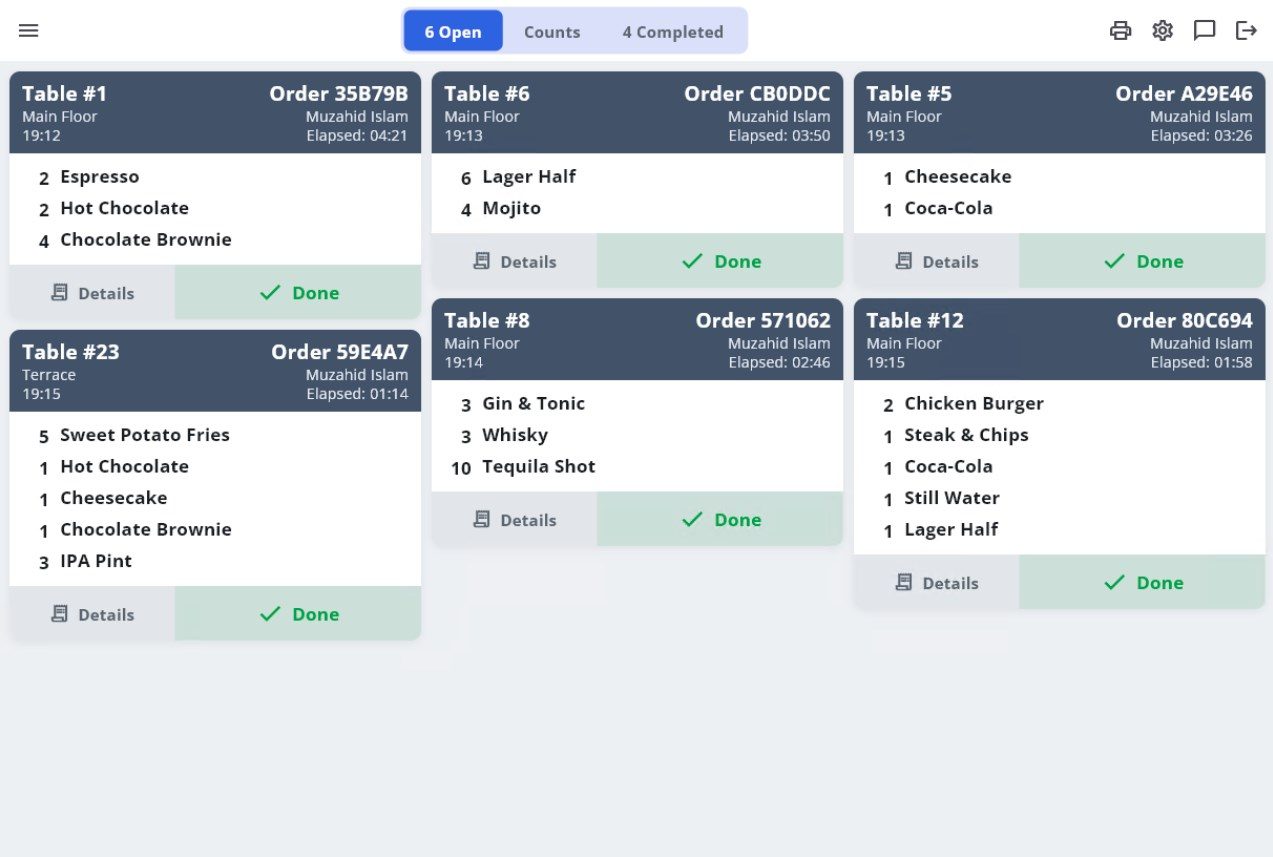
Orders land on the till and the Vesopa Kitchen screen with the table number, timed from the moment they arrive.

Allergens and dietary marks

The fourteen allergens, vegetarian, vegan and more, shown on every dish, from the same record your till prints.

The kitchen screen it orders to

Vesopa Kitchen replaces the kitchen printer. A table’s order appears the moment it is placed; tap each item as it is cooked and the ticket clears itself.

The Vesopa Kitchen screen with open tickets
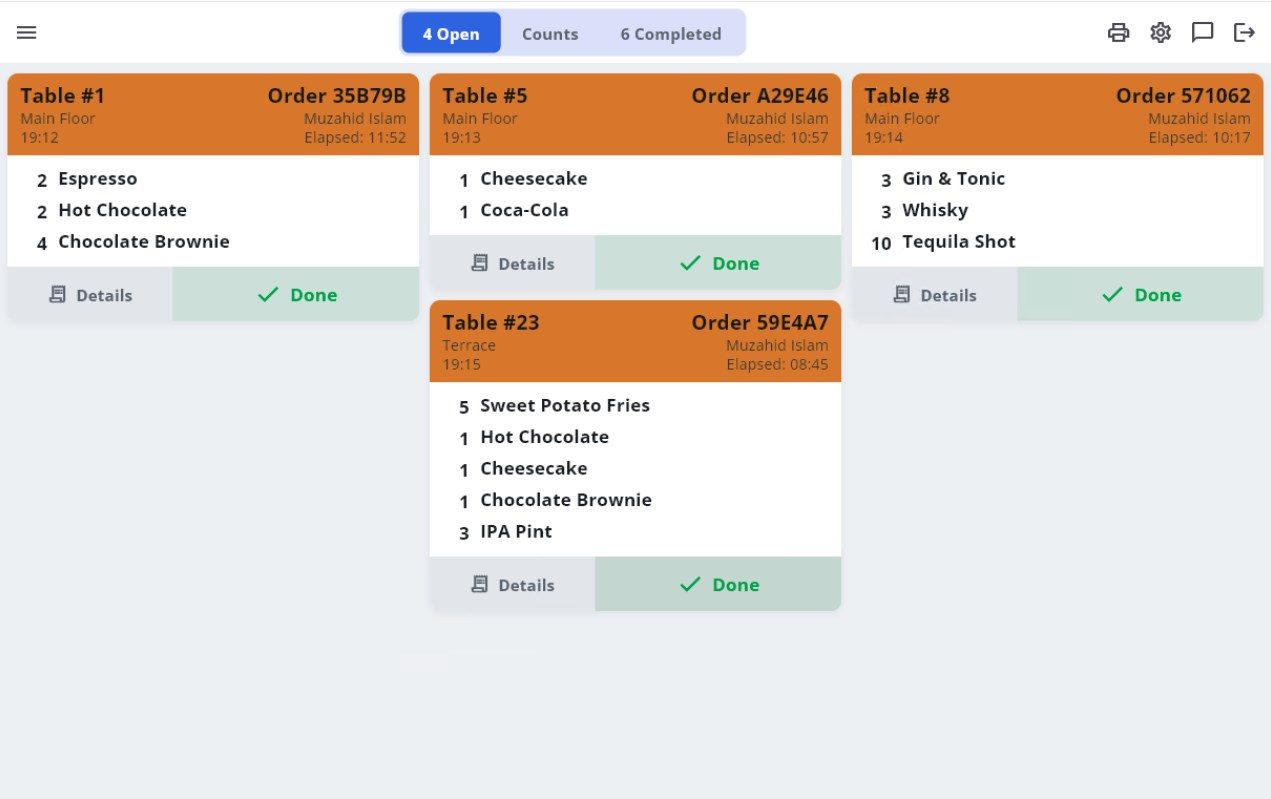
Tickets colour by how long they have waited

How your menu goes live

Nothing to retype. Your till already has the menu.

Switch it on

In your Vesopa back office, under Dine-in. Your menu is live at menu.vesopa.com/yourvenue within the minute.

Add the photos

A picture per dish, allergens and descriptions, in the same back office. Whatever you skip still works.

Print the codes

Table cards and a window code, printed from the back office — or we print and post them to you.

Take the first order

It appears on the till and the kitchen screen like any other. Your staff change nothing.

Simple pricing

One flat price per venue, and none of your orders taken as commission.

Menu

Your menu on every phone that scans the code.

£19 /month

No setup fee

  • Your menu at menu.vesopa.com/yourvenue
  • Live from your Vesopa till — change a price once, everywhere
  • Photos, descriptions, allergens and dietary marks
  • Search, categories and what is popular
  • A QR code for every table, window and card
  • Opens in any browser, nothing to install
Get a quote for Menu
Most popular

Order at the table

Customers order and pay from their seat; the kitchen gets the ticket.

£39 /month

No setup fee

  • Everything in Menu
  • Order from the table, with sizes, extras and special instructions
  • Pay by card on the phone, or run a tab and pay at the till
  • Orders arrive on the till and the Vesopa Kitchen screen
  • Table codes, service calls and “the kitchen is closed” handled
  • Order status on the customer’s phone
Get a quote for Order at the table

Own domain

The same menu at menu.yourvenue.com, in your brand.

£59 /month

+ £99 one-off setup

  • Everything in Order at the table
  • Your own address with its certificate, set up by us
  • Your logo, colours and fonts throughout
  • Up to three venues under one back office
  • Priority support
Get a quote for Own domain

Prices in pounds sterling, excluding VAT. Monthly, no long contract: cancel with 30 days’ notice. No percentage of your orders, ever. Requires Vesopa EPOS at the venue; the kitchen screen is the Vesopa Kitchen app, included with every till.

Questions

Do I need Vesopa EPOS?

Yes. The menu is your till’s catalogue and the orders go to the till and the kitchen screen. That is what keeps it accurate with nothing to retype.

Do you take a percentage of orders?

No. Payment goes through your own card machine or the customer’s phone straight to you. The price is the monthly fee and nothing else.

Does it work without an app?

Yes. The menu opens in the phone’s browser from the QR code. Nothing to install, nothing to sign up for to look at a menu.

Can I keep my kitchen printers?

Yes. Every station can be paper, screen or both. A venue that never opens the Vesopa Kitchen app prints as it always did.

What if we have our own domain?

The Own domain plan puts the menu at menu.yourvenue.com with its certificate, set up by us. The menu.vesopa.com address keeps working too.

How long does it take?

The menu can be live the same day you switch it on. Own domains usually take a day for the certificate.

Put the menu in their hands

Tell us about your venue and we will set up your menu so you can scan it yourself before you decide.